We've heard your feedback loud and clear! After being heavily requested, we've made it easy for you to schedule aerial and ground photos in the same appointment. To get started, you'll want to select your ground package first.
In Step 3 for "Add-Ons", scroll down the page until you see a section for Additional Aerial Products.
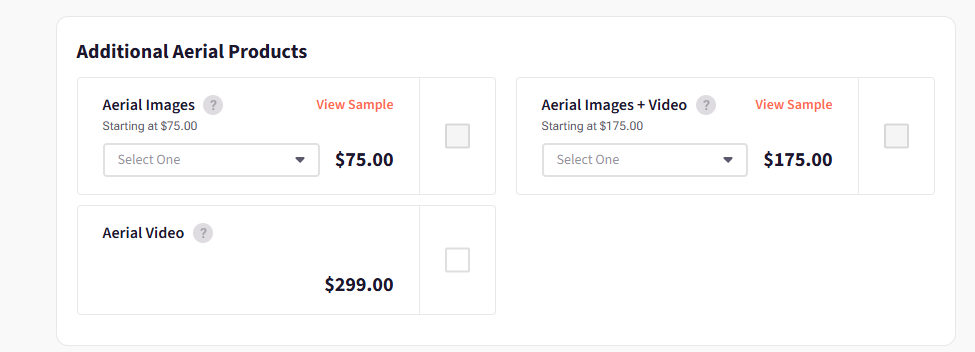
From there, you'll have 3 options to add aerial images only, aerial video only, or aerial images + video.
For the aerial images, simply specify the number of images you want from the dropdown menu before you click the checkbox to add this to your cart for checkout.
Can I add 5 or less ground images to an aerial base package?
This is not an image package our systems support at this time. Anytime you want to schedule aerial and ground images together, you'll need to select a minimum 10 image ground package before selecting any aerial add-on images.
You can reach Virtuance Client Success Team by chat at www.virtuance.com or by phone at 1-844-443-7325 if you have any questions or need any assistance!